
Parent · iPhone & iPadVerified 30 Sep 2026
How to Start a Practice Session
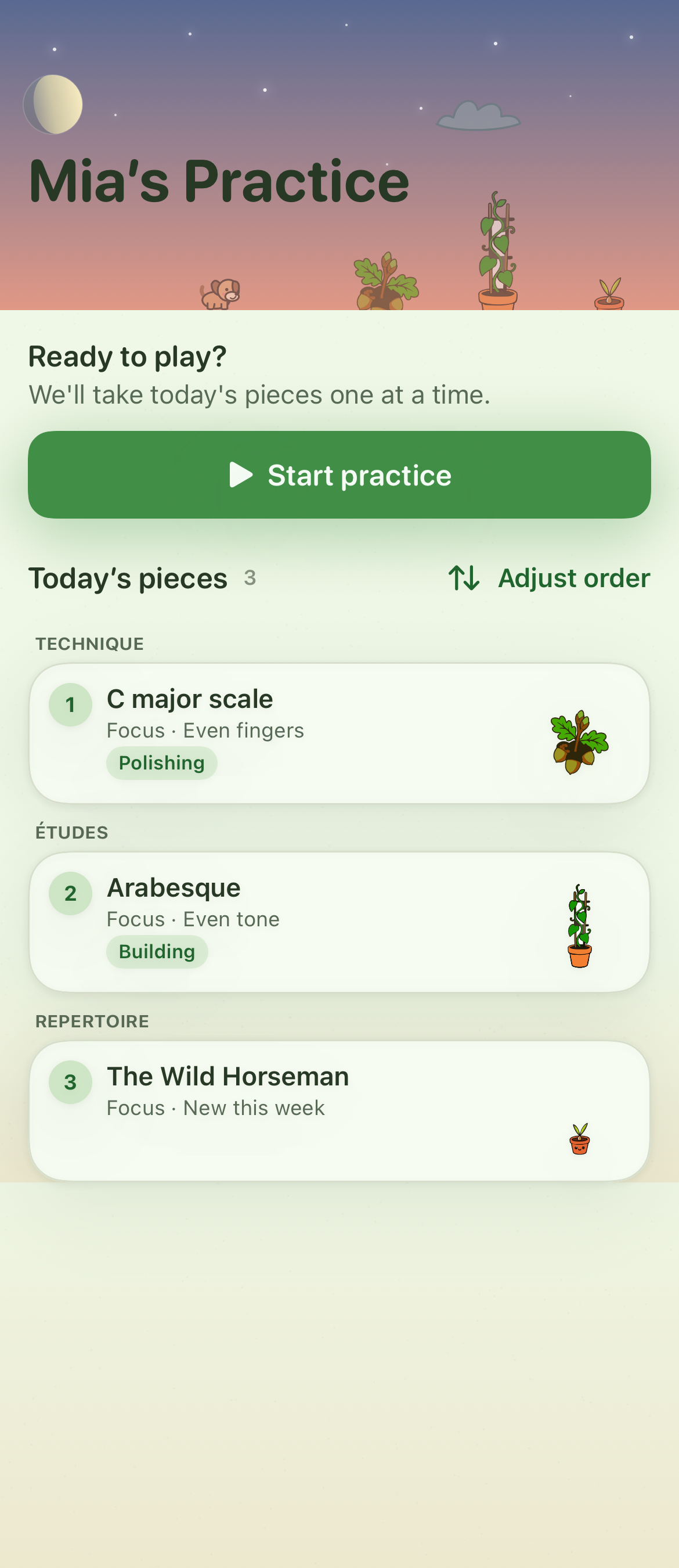
Today gathers the pieces assigned for your child's practice. Starting a session opens the practice space, where the plan, teacher references, and focused Spots can guide the work.
Before you begin
Select the child who is practising. A teacher connection is needed to see that teacher's assigned pieces.
Steps
- Open Today. Review the pieces in Today’s pieces.
- Start the session. Select Start practice to open the studio.
- Work through each piece. Follow the piece plan, references, and Spots your teacher provided.
If something goes wrong
If no pieces appear, check the active child. Ask a connected teacher to assign a piece, or use Assignments › Add a piece when practising without a teacher.
💡 Tip: Use Adjust order beside Today’s pieces to change the playing order before starting.